
01
Fokuseret effektretning
Hver skabelon pakker kernebevægelsesideen, så du kan starte med en stærk effekt i stedet for en tom prompt.
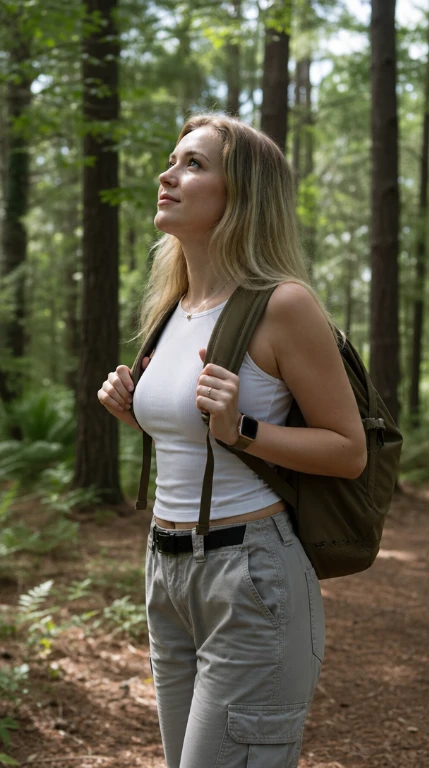
En tiger dukker op bag personen og pakker dem ind i en omfavnelse.
AI-videoeffektskabelon
Brug videoeffekten Tigerens berøring AI til at omdanne et kildebillede til et kort filmisk klip med en fokuseret bevægelsesstil, klar kreativ retning og hurtig generationsflow.
Hver skabelon pakker kernebevægelsesideen, så du kan starte med en stærk effekt i stedet for en tom prompt.
Upload et billede, vælg outputkvalitet, og generer en kort effektvideo fra samme side.
Det vertikale effektformat fungerer naturligt til sociale klip, kreative tests og hurtig visuel historiefortælling.
Hvordan det virker
Brug Tigerens berøring skabelonen til at omdanne et kildebillede til en kort effektvideo med en fokuseret bevægelsesstil.
Vælg et billede, hvor hovedmotivet er let at se, med nok ansigts-, krops- eller objektdetaljer til, at Tigerens berøring-effekten kan følges.
Behold skabelonretningen, vælg outputkvaliteten, og sørg for, at resultatformatet passer til det klip, du vil oprette.
Opret Tigerens berøring-videoen, gennemgå bevægelsen, og prøv igen med et stærkere billede eller en relateret effekt, når du ønsker en anden variant.
Vælg planen, der passer til dit workflow.
Til hurtige tests, personlige projekter og daglig skabelse.
Faktureres årligt · $119,40
800 Credits / måned
~ 100 Nano Banana 2 billeder
~ 200 GPT Image 2 billeder
~ 14 Seedance 2.0 videoer
~ 33 Kling 3.0 videoer
Funktioner
Til aktive skabere, der vil have flere kreditter og alle modeller.
Faktureres årligt · $187,20
2000 Credits / måned
~ 250 Nano Banana 2 billeder
~ 500 GPT Image 2 billeder
~ 34 Seedance 2.0 videoer
~ 83 Kling 3.0 videoer
Funktioner
Til skabere med højt output, der har brug for flest kreditter.
Faktureres årligt · $428,40
7200 Credits / måned
~ 900 Nano Banana 2 billeder
~ 1800 GPT Image 2 billeder
~ 120 Seedance 2.0 videoer
~ 300 Kling 3.0 videoer
Funktioner
Er du ikke klar til at abonnere endnu?
Har du stadig spørgsmål? Kontakt os på support@creatii.ai.